The idea behind the concept of Web Apps is quite simple and interesting - to allow to create apps without bothering to learn the mobile platform specific SDKs (iOS or Android usually).
 A mobile platform provides two ways to access applications - native apps and web apps. A native app can get at the special hardware in Android/iOS, uses the SDK and it can be sold in the app store. A web app, on the other hand, can't use the hardware, can't be sold in the app store but it is much easier to create.
The main focus of this book is to customize your website/apps to look good on an Android powered device. So, basically, you create the customized versions of the applications/websites for mobile from your knowledge of basic page creation technologies i.e. HTML, CSS and Javascript.
This book also shows the use of these along with jQuery and WebKit browser. There is an intrdouction to HTML5 (Local Storage and WebSQL database). 2 chapters are devoted to understanding and working with PhoneGap frmaework. You would enjoy working with PhoneGAp for using the accelerometer, making the phone buzz and using geolocation options.
If you know HTML, CSS, and JavaScript, you already have the tools you need to develop Web Apps. There is a basic introduction to HTML, CSS and Javascript in book. However, this book would benefit those with a good working knowledge of these web technologies. If you are not comfortable at these, you may find yourself a handicap for creating web apps.
Building Android Apps with HTML, CSS, and JavaScript By Jonathan Stark
Disclosure: I’m writing this post as part of O’Reilly’s blogger review program. While I’m not getting paid to review books, I sure am getting to read them for free.
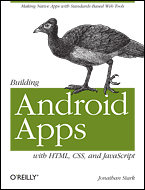
The main focus of this book is to customize your website/apps to look good on an Android powered device. So, basically, you create the customized versions of the applications/websites for mobile from your knowledge of basic page creation technologies i.e. HTML, CSS and Javascript.
This book also shows the use of these along with jQuery and WebKit browser. There is an intrdouction to HTML5 (Local Storage and WebSQL database). 2 chapters are devoted to understanding and working with PhoneGap frmaework. You would enjoy working with PhoneGAp for using the accelerometer, making the phone buzz and using geolocation options.
If you know HTML, CSS, and JavaScript, you already have the tools you need to develop Web Apps. There is a basic introduction to HTML, CSS and Javascript in book. However, this book would benefit those with a good working knowledge of these web technologies. If you are not comfortable at these, you may find yourself a handicap for creating web apps.
Building Android Apps with HTML, CSS, and JavaScript By Jonathan Stark
Disclosure: I’m writing this post as part of O’Reilly’s blogger review program. While I’m not getting paid to review books, I sure am getting to read them for free.
Comments
http://dotnetdeveloperdocument.blogspot.com/2011/03/building-android-apps-with-html-css-and.html